


A Practical Data Center Relocation Runbook for IT Teams
A data center relocation is one of the few moves where a dropped box can take a business offline. When you are planning a data center or server room move, the risk is not the furniture. It is the sequence: which racks power down first, which circuits come up last, and whether the applications that ran cleanly on Friday still talk to each other on Monday. Most failed moves are not caused by damaged hardware. They are caused by missing documentation, an unlabeled cable, or a cutover that started before anyone confirmed the target environment was ready. This runbook walks through the planning that keeps a move predictable, from the first inventory pass through the final validation test, so the physical move becomes the easy part.
Start With a Complete Asset Inventory
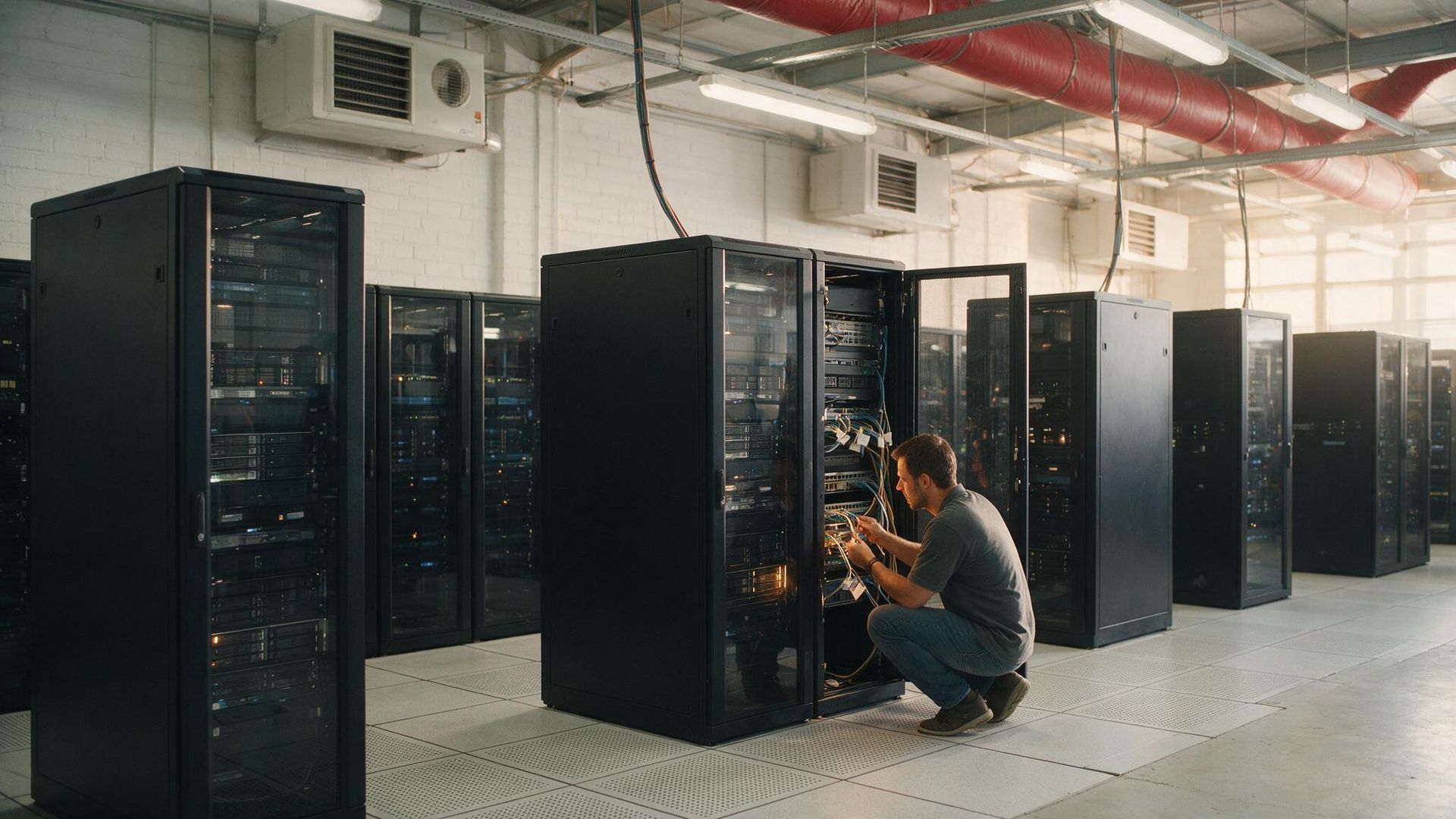
Nothing else in the move is reliable until you know exactly what you are moving. A proper inventory captures every rack, server, switch, storage array, and power distribution unit, along with its make, model, serial number, rack position, and current power draw. It also records the dependencies that are invisible on a spec sheet: which server hosts which application, which database it reads from, and which physical port it uses to reach the network.
Photograph the front and rear of every populated rack before anyone touches a cable. Those photos become the reference when you rebuild the environment at the destination, and they settle any dispute about how a rack was configured before the move. Treat the inventory as the master document that every later step points back to.
Label Everything Before Anything Moves
Labeling is the cheapest insurance in the entire project. Every cable should carry a tag at both ends identifying its source and destination. Every rack unit should map to a position on a destination floor plan, so the team unloading knows where each piece belongs without guessing. Color coding by function, such as one color for production and another for backup, speeds reassembly and reduces the chance of a wrong connection under time pressure. The goal is that a technician who was not part of the planning could rebuild a rack correctly from the labels alone. If your labeling scheme depends on someone remembering how things were, it is not finished.
Sequence the Move Around Dependencies
The order of operations matters more than the speed. Group systems so that dependent applications move together or in a deliberate order, rather than stranding a live application from the database it needs. Identify which services can tolerate downtime and which require a parallel build at the destination so they never fully go dark. Build a written sequence that names each phase, the systems in it, the team responsible, and the checkpoint that has to pass before the next phase begins. For sensitive equipment, coordination with a specialty crew matters as much as the plan itself. Our specialty moving teams handle the physical transport of racks and storage arrays under conditions that ordinary freight handling would not survive, while your IT staff owns the logical sequence.
Protect the Hardware in Transit
Servers and storage arrays are precision equipment, and the move is where shock and static do their damage. Racks should be moved with contents secured and, where weight allows, transported upright on air-ride equipment to limit vibration. Heavier gear that has to be removed from a rack, such as large UPS units or standalone storage, may need rigging rather than hand carrying. When a move involves equipment that exceeds what a two-person lift can handle safely, the same discipline used for industrial heavy equipment relocation applies: proper lifting gear, a planned path, and load-out staged so nothing waits on the dock longer than it has to. Anti-static handling, climate awareness, and a chain of custody for high-value assets round out the physical side. Track each asset from the moment it leaves the source rack until it is confirmed in position at the destination.
Plan the Cutover and Test Before You Call It Done
Cutover is the point where the destination environment takes over live traffic, and it should never begin on assumption. Confirm that power, cooling, and network uplinks at the new site are live and tested before the first production system arrives. Bring systems up in the planned order, then validate at each step rather than powering everything on and hoping.
Validation means more than a green light. Confirm that applications reach their databases, that users can authenticate, that backups run, and that monitoring reports what you expect. Keep the source environment recoverable until the destination has been stable through a full business cycle. A move is not complete when the last rack is bolted in. It is complete when the business has run a normal day on the new floor with no surprises.
Where Pittsburgh Businesses Get Tripped Up
Regional moves carry their own wrinkles. A relocation across the Pittsburgh area, or from a downtown high-rise out to an office park in a suburb like Cranberry Township, often means freight elevator scheduling, loading dock windows, and building access rules that have nothing to do with the servers and everything to do with the timeline. Companies planning a broader office relocation alongside the data center should coordinate both under one plan through our commercial movers in Pittsburgh team, so the IT cutover and the general move are not competing for the same elevator on the same morning.
Frequently Asked Questions
How far in advance should a data center move be planned?
Larger environments benefit from planning that begins well before the move date, because the inventory, dependency mapping, and destination readiness work take the most time. The physical move is usually the shortest phase. Building in time for a full test cycle after cutover is what separates a smooth move from an emergency.
Can a data center be moved without downtime?
Zero downtime is possible for systems built with redundancy or a parallel destination environment, but it is not automatic. It requires designing the move so critical services run in two places during the transition. Systems without that redundancy will need a planned maintenance window, which is why sequencing matters.
What is the biggest cause of failed relocations?
Poor documentation. When the inventory, labeling, and dependency map are incomplete, the team rebuilds from memory, and that is where errors and delays enter. The planning phase is where a data center relocation is won or lost.
Who should handle the physical transport of the hardware?
Racks, storage arrays, and networking gear should move with a crew experienced in sensitive equipment and, where needed, rigging. Your IT team owns the logical plan and the cutover, while a specialty moving crew owns the safe physical transport.
Plan Your Move With a Team That Has Done It Before
A data center relocation rewards preparation and punishes shortcuts. With the right inventory, labeling, sequence, and testing in place, the move itself becomes routine. Central Van & Storage has moved sensitive equipment for businesses across Pennsylvania, West Virginia, and Ohio since 1968, and we coordinate the physical move around your cutover plan rather than the other way around. Call 412-341-0820 or request a free quote to start planning your relocation.